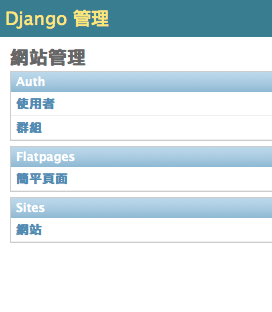
INSTALLED_APPS=('django.contrib.auth','django.contrib.contenttypes','django.contrib.sessions','django.contrib.sites','django.contrib.messages','django.contrib.staticfiles',# Uncomment the next line to enable the admin:'django.contrib.admin','django.contrib.flatpages',# Uncomment the next line to enable admin documentation:# 'django.contrib.admindocs',)
PROJECT_BASE_DIR=os.path.dirname(__file__).replace('\\','/')TEMPLATE_DIRS=(# Put strings here, like "/home/html/django_templates" or "C:/www/django/templates".# Always use forward slashes, even on Windows.# Don't forget to use absolute paths, not relative paths.PROJECT_BASE_DIR+'/templates',)
PS: 感謝 Lazkey 提醒,TEMPLATE_DIRS 裡請使用絕對路徑。
urls.py記得把Admin模組相關的設定打開:
1234567891011121314151617
fromdjango.conf.urls.defaultsimportpatterns,include,url# Uncomment the next two lines to enable the admin:fromdjango.contribimportadminadmin.autodiscover()urlpatterns=patterns('',# Examples:# url(r'^$', 'mysite.views.home', name='home'),# url(r'^mysite/', include('mysite.foo.urls')),# Uncomment the admin/doc line below to enable admin documentation:# url(r'^admin/doc/', include('django.contrib.admindocs.urls')),# Uncomment the next line to enable the admin:url(r'^admin/',include(admin.site.urls)),)